While working on one of the issues for Meshery.io, I stumbled upon an error.
The makefile build command - make site is failing with the following error:
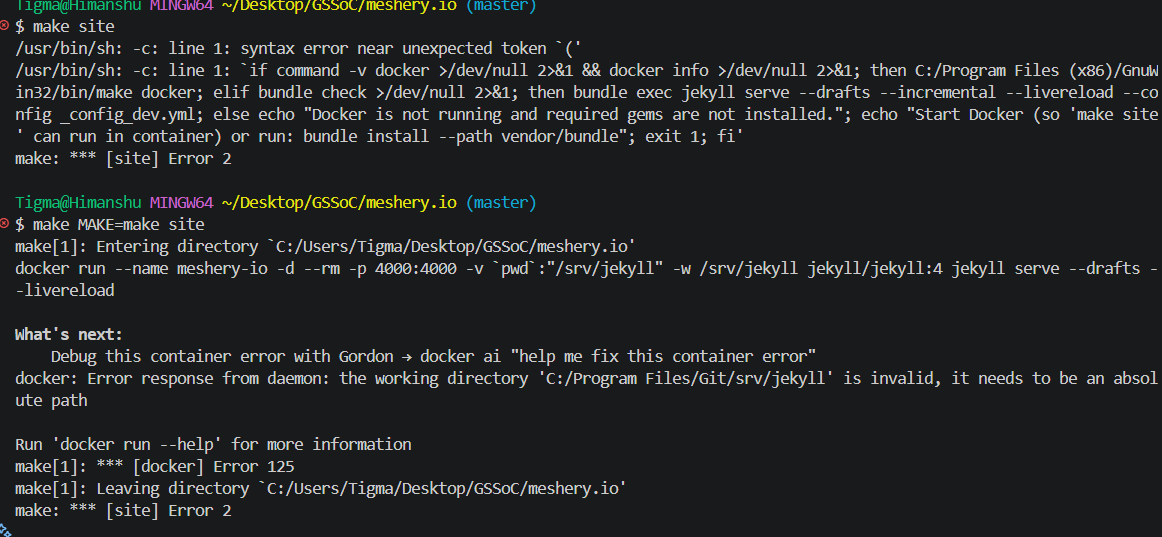
$ make site
/usr/bin/sh: -c: line 1: syntax error near unexpected token (' /usr/bin/sh: -c: line 1: if command -v docker >/dev/null 2>&1 && docker info >/dev/null 2>&1; then C:/Program Files (x86)/GnuWin32/bin/make docker; elif bundle check >/dev/null 2>&1; then bundle exec jekyll serve --drafts --incremental --livereload --config _config_dev.yml; else echo "Docker is not running and required gems are not installed."; echo "Start Docker (so 'make site' can run in container) or run: bundle install --path vendor/bundle"; exit 1; fi'
make: *** [site] Error 2
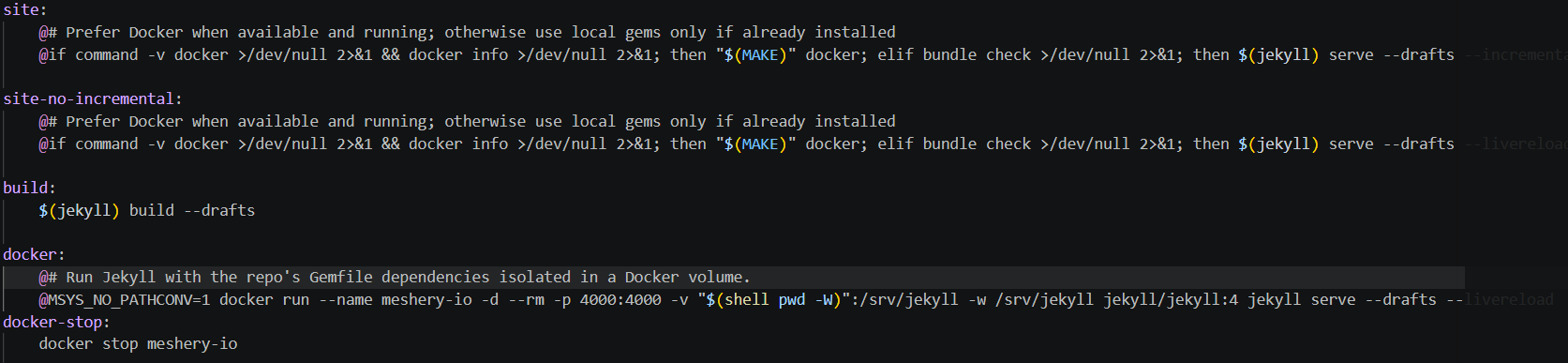
Upon checking further, I could identify that the Makefile dynamically expands the $(MAKE) variable on line 8 into the absolute GnuWin32 path (C:/Program Files (x86)/...), which immediately trips up the Git Bash POSIX shell.
Therefore, using the command - make MAKE=make site,
I am getting following error now:
make[1]: Entering directory C:/Users/Tigma/Desktop/GSSoC/meshery.io' docker run --name meshery-io -d --rm -p 4000:4000 -v pwd`:"/srv/jekyll" -w /srv/jekyll jekyll/jekyll:4 jekyll serve --drafts --livereload

What's next:
Debug this container error with Gordon → docker ai "help me fix this container error"
docker: Error response from daemon: the working directory 'C:/Program Files/Git/srv/jekyll' is invalid; it needs to be an absolute path

Run 'docker run --help' for more information
make[1]: *** [docker] Error 125
make[1]: Leaving directory `C:/Users/Tigma/Desktop/GSSoC/meshery.io'
make: *** [site] Error 2
Screenshot
make is installed on my system locally using the Chocolatey package manager with the command choco install make.
The Make command works for other repositories on my machine (eg - Meshery repo, the Docs repo).
OS: Windows 11